A unified
scientific workspace.
Figures, presentations, literature, and papers.
Connected in one place. Built for you and your AI collaborators.
 View
workspace
View
workspace
01 / Paper
Room to think.
Tools to write.
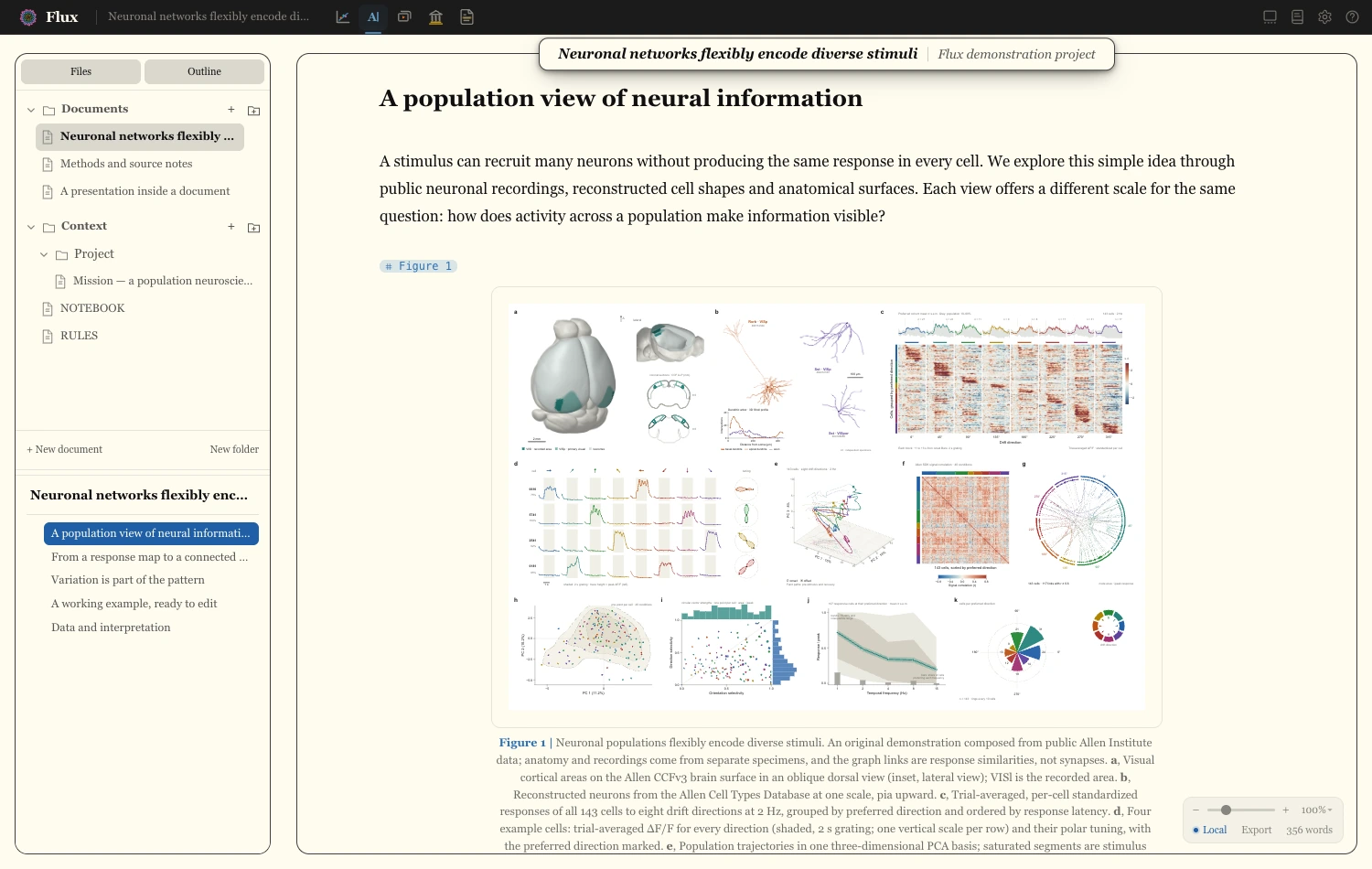
From working notes to the final manuscript, write on a clean surface that keeps citations, figures, equations, and review close at hand. Underneath, your document stays an ordinary Quarto file.
- Cite from your library as you write.
- Keep figures and their references connected.
- Review in the margin; export to HTML, PDF, or Word.
 Enlarge
02 / Figure
A figure is more
than an image.
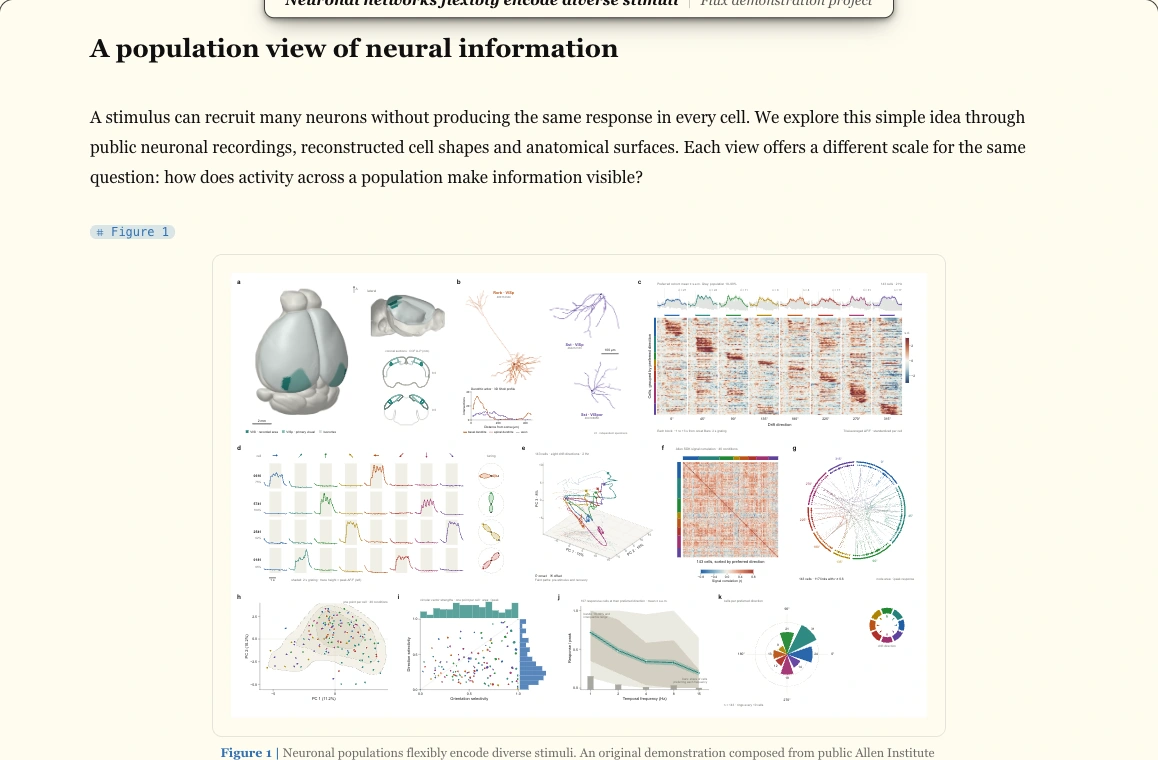
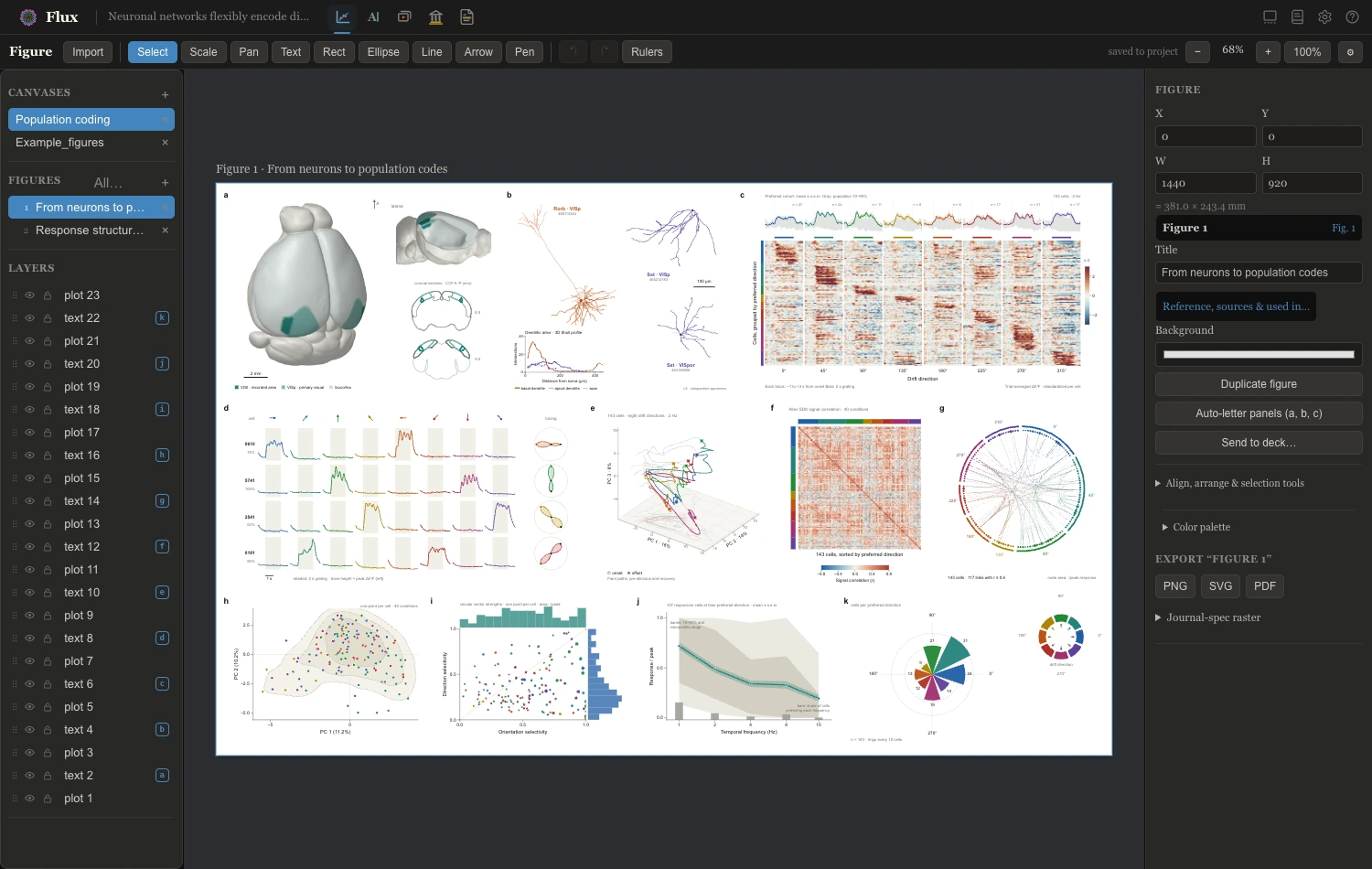
Compose publication figures on a precise, open canvas. With plots made by fluxplot, the lines, labels, and series remain meaningful parts you can select and refine.
- Arrange panels at their physical publication size.
- Style individual plot parts without rerunning the analysis.
- Keep those styling choices when a linked source updates.
 Explore the detail
plots/advanced/16-tuning-landscape-2hz.svg
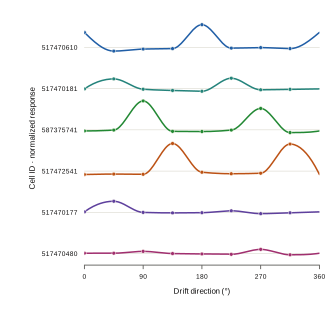
Select a curve to change its color, then choose another frequency. The data change; your styling stays. This is a real plot from the downloadable example project.
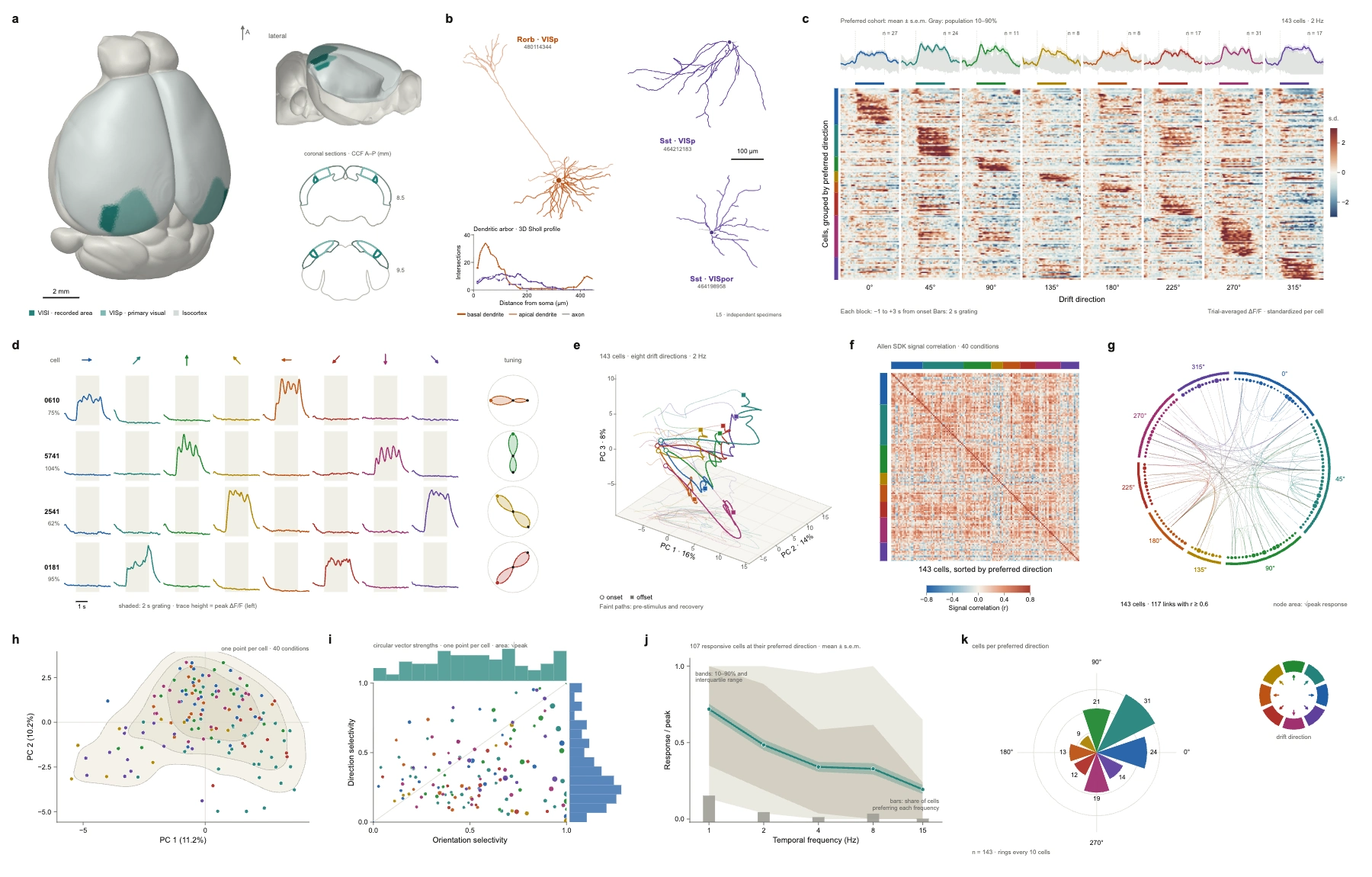 Inspect every panel
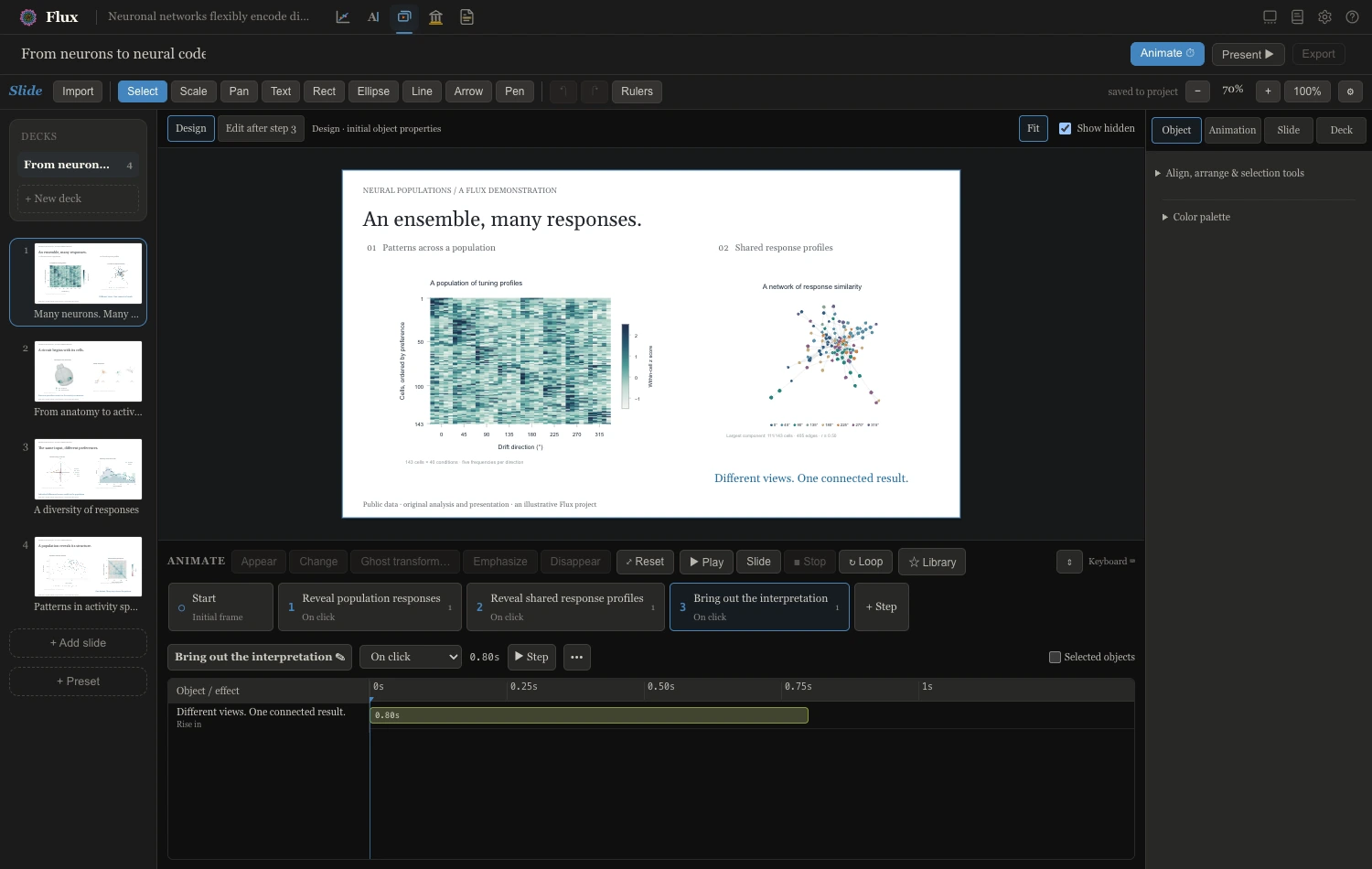 View the editor
Compose. Sequence. Share.
Bring a figure into your deck, give it its own layout, and author the steps. Reuse the result as an interactive slide inside your writing.
Read about slides in documents04 / Library
A home for the
papers you find.
Keep a lasting collection across projects. Bring in references and PDFs, organize what matters, and find your way back through metadata or the text inside a paper.
- Collect by DOI, import, web capture, or Zotero.
- Search stored full text and open the matching page.
- Cite into a project without rebuilding your library.
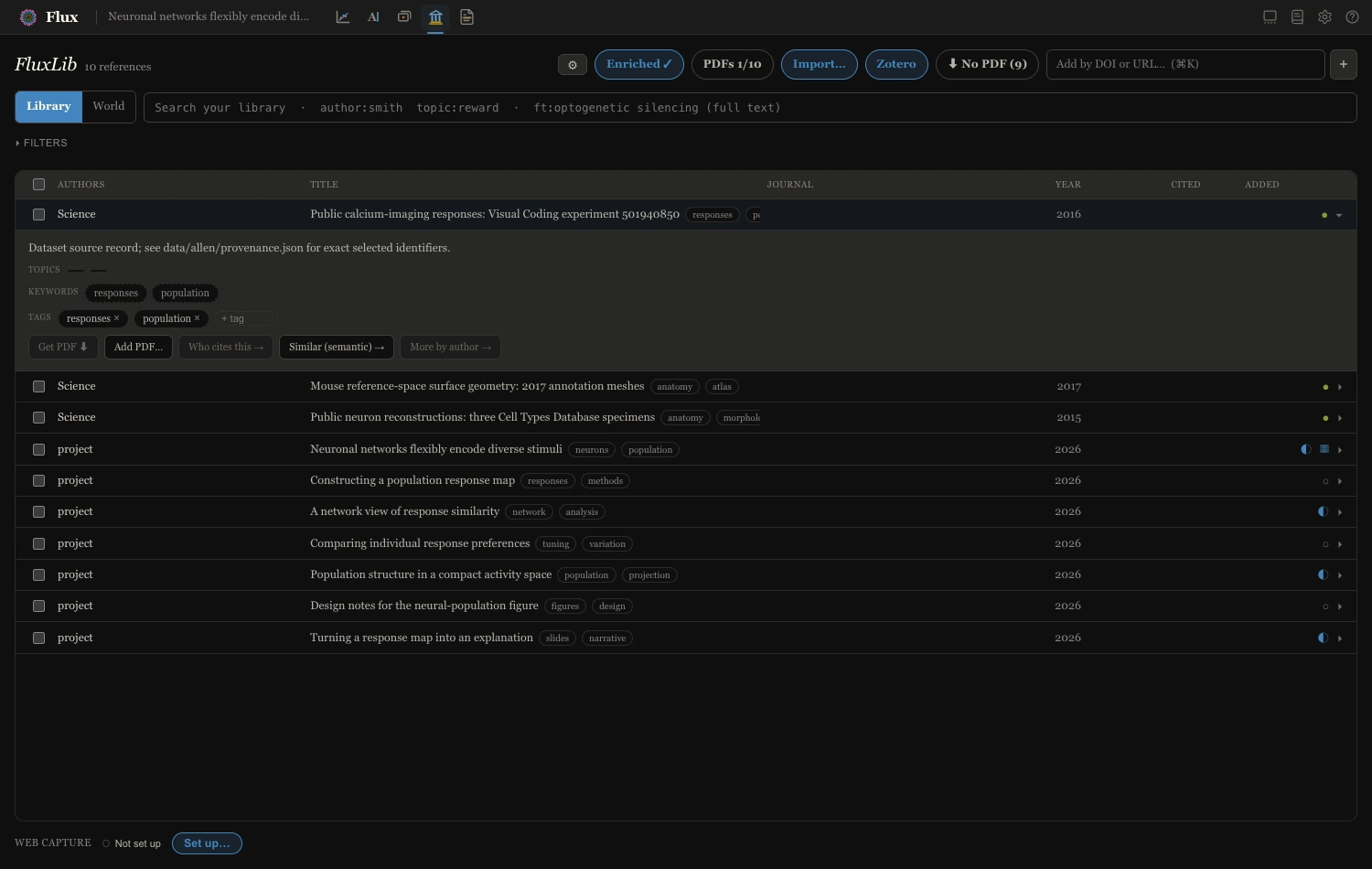 Enlarge
05 / Reader
Stay with the idea.
Keep the evidence.
Read closely without losing your place. Follow a citation, annotate a passage, or inspect a figure beside the discussion. Keep the useful details connected to where you found them.
- Read side by side with split panes and tabs.
- Keep highlights and comments anchored to the paper.
- Capture figure snips with their source provenance.
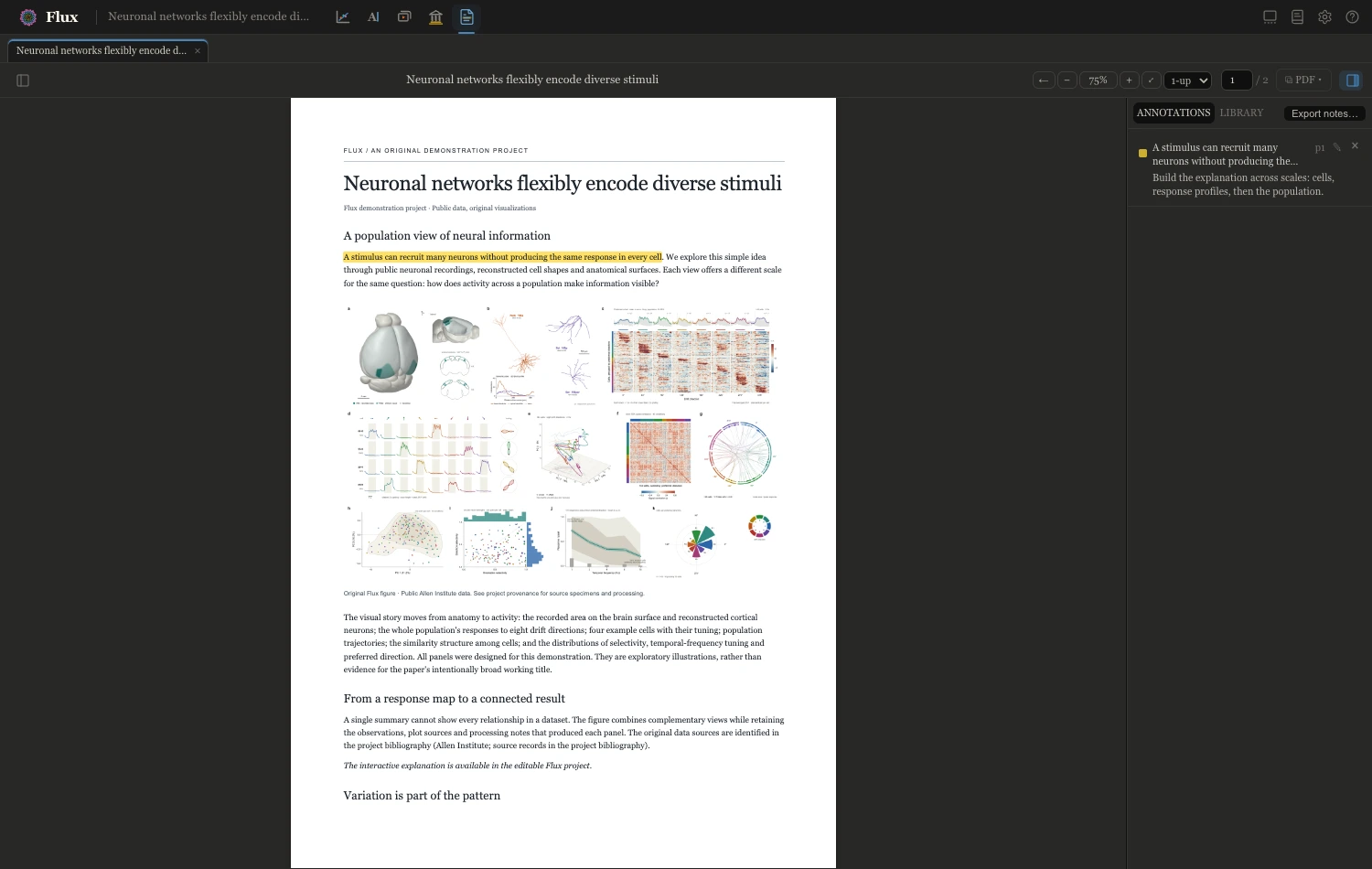 Enlarge
Connected by design
The work keeps moving.
The connections stay.
Five perspectives on one project. Move an idea from the literature into a figure, a manuscript, and a talk.
The citation enters your document and its project bibliography.
A stable reference keeps the manuscript attached to its figure.
Saved slide edits refresh the document; HTML preserves the steps.
A project is a folder
Familiar files.
Lasting work.
Your documents, plots, references, and context live in a project you can inspect. Flux’s compositions use readable files, and generated exports stay separate from their sources.
Understand the project model-
paper/Documents & working notes plots/Plots from your analysisfig/Figure compositions-
slides/Decks & animation steps -
references/The project bibliography -
Context/Mission, notebook & rules -
exports/Generated output
The example behind this page. Yours to explore.
Open the work behind the website
Meet the example project.
Neuronal networks flexibly encode diverse stimuli.
A complete Flux project with the manuscript, thirty-three source
plots, two composed figures, four animated slides, and public data. Download it, unzip it,
and open the neural-populations folder in Flux.
FluxConfig
Your way of working.
Across projects.
Your library, reusable styles, and working context have a home of their own. FluxConfig brings that personal environment to every project, while each project keeps its own research and history.
Read about your library and configuration
One personal environment. Independent project folders.
AI, with context
A collaborator who can
pick up the thread.
An agent can read your project’s mission, working notes, and rules, then work with the same figures, slides, and files you use. Ask it to restyle a series or animate a plot, and review the result in your workspace.
You choose whether to bring an agent into the work, and which supported agent to use.
-
01
Set the direction.
The mission describes the question. The notebook carries decisions forward. Rules preserve what matters to you.
-
02
Work alongside it.
Launch a principal agent in your terminal. It reads the project context and uses the available Flux tools.
flux principal -
03
Review where you are.
Comment on a passage or leave feedback on a figure. Keep the request connected to the work it concerns.
Explore agent collaboration
Make room for the next idea
Your research.
In Flux.
Start with the installation guide, open a project,
and find your own way through the studio.